


Does the iPhone SE support wireless charging? It is a common question, and the answer is straightforward: yes, but only for the newer models.
The ability to charge your iPhone SE wirelessly depends entirely on which generation you own. If you have an iPhone SE (2nd generation) released in 2020 or the iPhone SE (3rd generation) from 2022, your phone is equipped for Qi wireless charging. The original 2016 model, however, was manufactured before this became a standard feature.
A Quick Look at Your iPhone SE's Charging Capabilities
At a glance, the various iPhone SE models look quite similar, but Apple made key changes to the internal hardware. Starting with the second generation, they included the necessary components for inductive charging, which is the technology that allows you to power up your phone by placing it on a pad.
What does this mean for you?
- iPhone SE (2020 and 2022 models): These are compatible with any standard Qi-certified wireless charger. Simply place it on the pad to begin charging.
- iPhone SE (2016 model): This version relies on the traditional method and requires its Lightning cable to charge.
This quick reference table breaks it down clearly.
iPhone SE Wireless Charging Compatibility at a Glance
| iPhone SE Model | Year Released | Qi Wireless Charging | MagSafe Functionality |
|---|---|---|---|
| iPhone SE (1st Gen) | 2016 | No | No |
| iPhone SE (2nd Gen) | 2020 | Yes | Charging Only |
| iPhone SE (3rd Gen) | 2022 | Yes | Charging Only |
As you can see, wireless charging became a standard feature from the second generation onwards, bringing this convenient, budget-friendly iPhone in line with Apple’s flagship devices.
This means if you bought your iPhone SE new from 2020 onwards, you can leave the cables behind and embrace the simplicity of modern charging solutions.
How Wireless Charging Works on Your iPhone SE
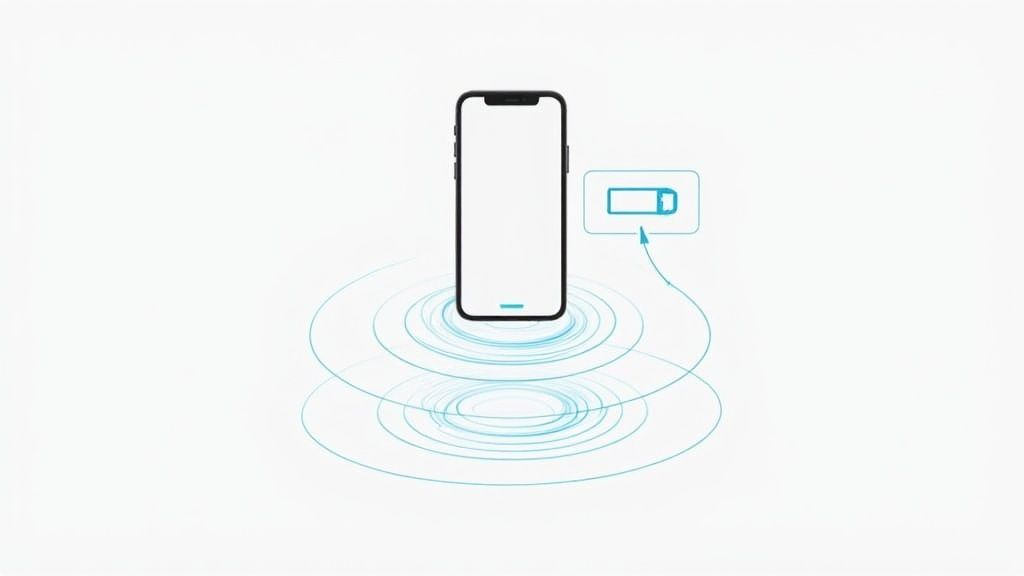
How does your iPhone SE charge without a cable? The technology is called inductive charging. Inside your wireless charger is a coil of wire. When you plug the charger into the mains, it creates a small magnetic field around the pad. Your iPhone SE has its own coil inside, and when you place it on the pad, this magnetic field creates an electrical current in the phone's coil, which then charges the battery.
This process is governed by a universal standard called Qi (pronounced ‘chee’). Because the iPhone SE (2nd gen and newer) is Qi-certified, you do not need a special Apple-branded charger; any Qi-certified pad will function correctly.
Why This Matters for You
Understanding the basics helps explain certain behaviours you might encounter. If your phone charges slowly or not at all, it is likely because the coils are not aligned properly. Correct alignment is key for an efficient transfer of power.
This also explains why a thick phone case or a metal plate, such as from a magnetic car mount, can prevent wireless charging. These items physically obstruct the magnetic field from reaching the coil inside your phone.
When Apple added this feature to the iPhone SE (2nd generation), it was a significant development for wireless charging in the UK, making the technology accessible beyond the most expensive flagship phones. If you are interested in how mobile trends have evolved, you can find more UK mobile statistics to see the broader context.
Getting the Best Wireless Charging Speeds
Placing your iPhone SE onto a wireless charger is simple, but achieving the fastest possible charge requires the correct setup. A few key factors can make the difference between a slow charge and an efficient one. Let's break down how to get the best performance.
Your iPhone SE (2nd and 3rd generation) is designed to wirelessly charge at a maximum speed of up to 7.5 watts (W). While that is not as fast as using a 20W wired charger, it is ideal for overnight charging or keeping your battery topped up at your desk. Reaching that 7.5W speed, however, depends entirely on your setup.
Your Power Adaptor Is More Important Than You Think
The plug that connects your charging pad to the wall plays a crucial role. If you are using an old 5W Apple plug, it cannot supply enough power to let the wireless charger operate at full capacity, resulting in a very slow charge.
To ensure your iPhone SE receives its full 7.5W, you need to pair your wireless charger with a USB-C power adaptor rated for 18W or higher. This provides the charger with sufficient power, preventing any bottlenecks from slowing the process.
How Your Phone Case Affects Charging
Your phone case is another part of the equation. Most standard plastic or silicone cases under 3mm thick will not cause any issues. However, very thick, rugged cases can weaken the connection, and anything with metal plates or a pop socket on the back will block it completely.
If you notice your phone is charging slowly or intermittently, the first thing to try is removing the case. This simple test often resolves the problem.
It is worth noting that while the iPhone SE maxes out at 7.5W, Apple’s newer MagSafe technology pushes charging speeds up to 15W. This technology, which started with the iPhone 12, has become a popular upgrade for UK users, as you can learn more about the UK wireless charger market. For anyone managing multiple gadgets, a multi-device solution like the Cablenova PowerPad II 3-in-1 charger is excellent for keeping everything powered up without clutter.
How to Choose the Right Wireless Charger
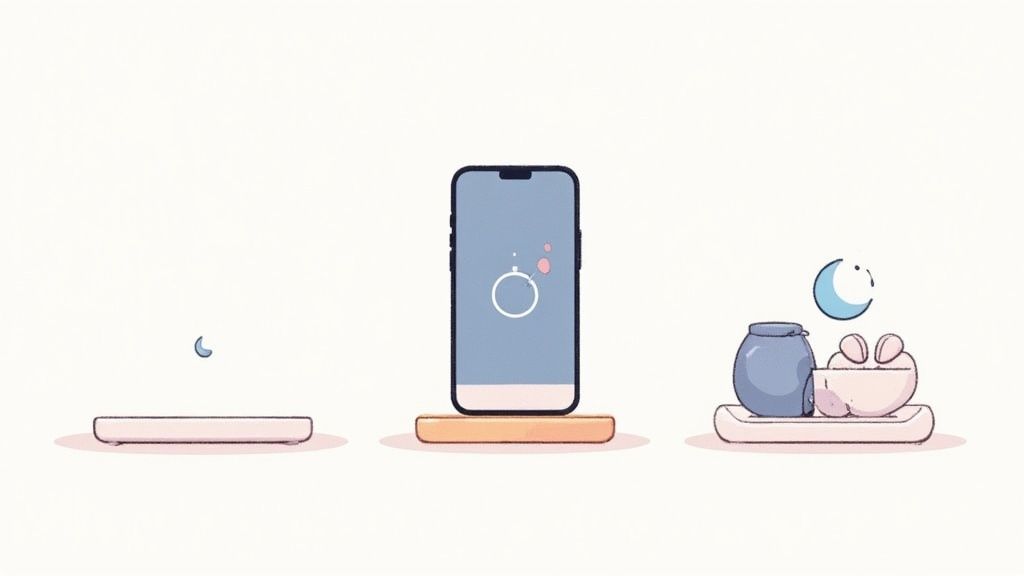
Selecting the right wireless charger for your iPhone SE is not about chasing the highest wattage. It is about finding one that fits your daily routine. With choices ranging from simple flat pads to convenient upright stands, the best one depends on how and where you will be charging.
For instance, a flat charging pad is a practical, no-fuss option for your bedside table. Place your iPhone SE on it before you go to sleep, and you will wake up to a full battery. This minimalist style keeps your space uncluttered and is well-suited for overnight charging when you do not need to check your screen.
An upright charging stand, however, is very useful for a desk or kitchen worktop. It holds your phone up, either vertically or horizontally, so the screen is always visible. This means you can easily see notifications, take a video call, or follow a recipe without picking up your phone.
Pads, Stands, and Multi-Device Docks
Which type is right for you? It depends on your primary charging habits. A simple pad gets the job done without frills, while a stand adds convenience for when you are active during the day.
- Flat Pads: The best choice for overnight charging on a nightstand or for maintaining a low profile on a busy surface.
- Upright Stands: Ideal for office desks, allowing you to keep an eye on your phone for messages and calls.
- Multi-Device Chargers: The optimal solution if you are also powering an Apple Watch or AirPods, tidying everything into one neat station.
If you are managing multiple Apple gadgets, a 3-in-1 charging dock is a useful accessory. It reduces cable clutter and powers all your essential tech from a single plug socket, simplifying your setup.
If you need to charge more than just your phone, our guide on choosing the right MagSafe charging dock has some great pointers. It is also a good idea to compare various phone chargers to understand the full range of options available.
Troubleshooting Common Charging Problems
Even reliable technology can have issues. If your iPhone SE is not responding to wireless charging, the solution is usually simpler than you might think. A few quick checks can often get you powered up again.
More often than not, the cause is poor alignment. The charging coils in your phone and the charger need to be almost perfectly lined up to establish a connection. If the phone is sitting slightly off-centre on the pad, it may not charge at all, or it could start and stop repeatedly.
A Quick Diagnostic Checklist
Before assuming a more serious issue, run through these simple steps. Most wireless charging problems can be sorted out in a minute or two.
-
Check the Alignment: Nudge your iPhone SE slightly to ensure it is centred on the charging pad. This is the most common fix.
-
Remove the Case: A thick, rugged case can act as a barrier, blocking the charging signal. This is particularly true for cases with metal plates, kickstands, or pop sockets. Try removing it to see if charging begins.
-
Verify the Power Source: Ensure your charging pad is plugged into a wall adaptor that can deliver enough power—ideally 18W or more. Plugging it into a standard laptop USB port is not sufficient.
A common oversight is the power adaptor itself. Using the small 5W plug that came with older iPhones will severely limit your wireless charger's performance, leading to a slow or non-existent charge.
If you have tried all of these steps and are still having trouble, restarting your iPhone can clear minor software glitches that might be interfering. If that does not work, it may be time to consult professional iPhone repair services, as there could be an underlying hardware problem.
The Future of Charging and Your iPhone
Switching to wireless charging is about more than eliminating a few cables from your bedside table. It is about creating a more seamless, intuitive relationship with your technology. Many of us have a drawer full of frayed charging cables; adopting wireless is a small but meaningful step away from that waste, which is a growing concern for many in the UK.
Making iPhone SE wireless charging part of your daily routine is a simple upgrade that changes how you think about power. Charging stops being a conscious task—finding a cable, plugging it in—and becomes something that happens in the background. Place your phone on a pad at your desk or on your nightstand, and the process is taken care of.
This shift towards convenience aligns with a broader focus on sustainability, something Apple is increasingly committed to. With initiatives like 100% plastic-free packaging and a target for 42% carbon-neutral shipping by 2025, the technology ecosystem is moving in a greener direction. You can find more details in these iPhone sustainability statistics.
Ultimately, for anyone with a compatible iPhone SE, choosing wireless charging is a smart, forward-thinking decision. You get a more efficient way to power your device and the satisfaction of making a more responsible choice.
Got Questions? We’ve Got Answers
You might still have a couple of lingering questions about wireless charging and your iPhone SE. Let's address some of the most common ones.
Can I Use a MagSafe Charger with My iPhone SE?
Yes, you can. If you have a 2nd or 3rd generation iPhone SE, you can place it on a MagSafe charger, and it will work correctly.
However, it will function as a regular Qi charger. This means it will charge your phone at the standard 7.5W speed, not the faster 15W MagSafe is known for. The magnets will also not snap your phone into perfect alignment.
Is It Safe to Leave My iPhone on a Wireless Charger Overnight?
Yes, it is completely safe. Modern iPhones include a feature called ‘Optimised Battery Charging’.
Your phone learns your daily habits. It will charge to 80% and then pause, only finishing the last 20% just before you typically wake up. This feature is designed to preserve your battery’s health in the long run and eliminates any risk of overcharging.
Your iPhone is smart enough to manage its own power. You can leave it on a certified Qi charger all night without concern.
Does the Original 2016 iPhone SE Have Wireless Charging?
No, it does not. The first iPhone SE, released in 2016, came out before Apple made wireless charging a standard feature.
The necessary internal technology for Qi charging was introduced with the iPhone 8 and was then included in the iPhone SE (2nd generation) and all subsequent models.
For a full look at our charging solutions, feel free to explore our complete collection of wireless charging pads and stands.
At Cablenova, we specialise in creating charging accessories that fit perfectly into your daily life. Discover a smarter way to power your devices today.