


A docking station is a central hub that connects your peripherals—monitor, keyboard, mouse, and chargers—into one unit. This declutters your workspace and expands your main device's capabilities through a single cable.
What Exactly Is a Docking Station?

Consider your desk. You likely have a power cable for your laptop, another for your monitor, one for your keyboard, and perhaps more for your phone and other devices. It can become a tangled arrangement. Each time you wish to set up or pack away, it involves plugging and unplugging multiple cables.
A docking station simplifies this process. You plug everything into the dock once: your monitor, mouse, external hard drive, and other peripherals. From then on, you only need to connect your laptop to the dock with a single USB-C or Thunderbolt cable. This one connection links you to your entire setup.
The Two Main Types of Docks
While all docking stations aim to simplify your setup, they generally fall into two categories, each with a different focus. Understanding which one you need is the first step.
To clarify, here is a breakdown of the two main types you will encounter.
Docking Station Types Explained
| Docking Station Type | Primary Use Case | Common Devices Connected |
|---|---|---|
| Laptop Docking Stations | Turning a portable laptop into a full desktop workstation. | Monitors, Ethernet cables, keyboards, mice, external hard drives. |
| Multi-Device Charging Docks | Powering multiple personal devices at once from a single plug socket. | iPhone, Apple Watch, AirPods, tablets. |
As you can see, one is built for productivity and creating a professional workstation, while the other is focused on keeping your personal technology charged and ready for use.
At its core, a docking station is about simplicity. It resolves a messy, multi-cable problem into a clean, one-plug solution for work or for powering your devices overnight.
This act of centralising your connections brings order to any space, whether it is a busy home office or a minimalist bedside table. It is not just about adding more ports; it is about creating a more organised way to work and live.
From Office Hub to Home Essential

Not long ago, docking stations were bulky plastic devices found only in corporate offices. They had one function: to turn a company laptop into a makeshift desktop, providing ports for multiple monitors, a proper keyboard, and a reliable wired internet connection. They were purely functional, designed to bridge the gap between portability and productivity at a fixed desk.
That model worked for years, but the world has changed. With remote and hybrid work now common, the line between our professional and personal lives has blurred, and we require technology that can keep up with this new reality.
The Modern Dock: A Personal Tech Hub
Today’s docking station has evolved far beyond its corporate origins. The focus has shifted from simply running a workstation to managing the entire ecosystem of personal devices we rely on daily. Think of them less as laptop expanders and more as multi-device charging hubs.
These modern docks are designed to power an iPhone, Apple Watch, and AirPods simultaneously, all from a single plug socket. The primary benefits are convenience and reduced cable clutter. Models like the GlowStation™ or HexHub™ have taken this a step further, blending powerful charging with design features such as ambient lighting.
The fundamental idea of a docking station—centralised connectivity—remains, but its purpose has expanded significantly. This shift is clear in the UK market, which grew after 2020 as more people started working from home. With projected growth of 6.1% CAGR until 2035, it is evident these devices are here to stay.
The modern dock is no longer just a work tool. It is a home essential, simplifying how we power our lives, from the bedside table to the car.
As our homes double as offices, effective tools are key to building an efficient setup. For anyone looking to fine-tune their workspace, this ultimate guide to customizing your Stream Deck for working from home is packed with useful ideas. This journey from a bland office utility to a stylish home hub illustrates what a docking station is today.
Understanding The Technology That Powers Your Dock
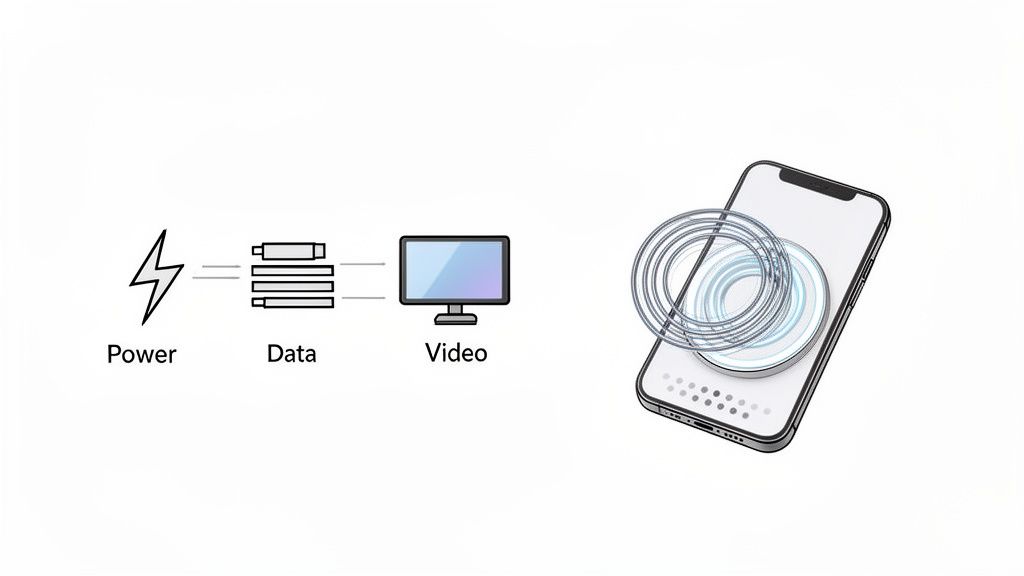
To understand why docking stations are so useful, it is helpful to look at the technology that makes them work. From a substantial laptop hub to a sleek wireless charger on your bedside table, the goal is always the same: simplicity and efficiency.
For laptop docks, the key component is a single-cable connection, usually a USB-C or Thunderbolt port. These are not just for charging; they function as high-speed data conduits. One cable can charge your laptop, send video to multiple monitors, and handle data for all your accessories simultaneously. This is what makes a clean, one-plug desk setup possible. For more information, there are helpful guides on optimizing your workstation's electrical setup to maintain order.
How Wireless Charging Docks Work
Wireless charging docks for your iPhone and other personal devices work differently. Most of them rely on the universal Qi standard, which uses a process called electromagnetic induction.
The charging dock has a transmitter coil, and your phone has a receiver coil. When you place your phone on the dock, the transmitter creates a magnetic field. This field causes an electrical current to flow in your phone's receiver coil, charging the battery without the need for plugs.
The wattage of a wireless charger, for example 15W, indicates how fast it can charge. Higher wattage creates a stronger magnetic field, which means more power is delivered to your device, faster.
This is also where Apple's MagSafe technology comes in. MagSafe adds a ring of magnets around the charging coils in both the charger and the iPhone. These magnets ensure the coils snap into perfect alignment every time, which is crucial for efficient charging. That precise connection provides a more reliable and faster power-up. We explore this further in our guide explaining what MagSafe charging is.
The Practical Benefits of Using a Docking Station
One of the most satisfying benefits of a docking station is the elimination of cable clutter. It takes the tangled wires for your monitor, keyboard, mouse, and charger and funnels them into one neat hub. Your desk looks cleaner, and you only need to plug in a single cable to begin working.
If your desk is a constant battleground of wires, organising your cable management is the first step towards a more focused workspace. We have a full guide on desk cable management ideas that can help you reclaim your desk.
Enhanced Productivity and Efficiency
For anyone working a hybrid schedule, a docking station is a significant asset. It instantly turns your portable laptop into a full desktop workstation. One connection gives you access to multiple large-screen monitors, a proper keyboard, and a stable wired internet connection. That smooth transition between home and the office is central to modern work.
This is not a niche convenience. With over 40% of UK workers now on a hybrid model, docking stations have become essential equipment. Professionals often favour wired docks for their reliability and security, a trend highlighted in the global market report on docking stations.
The benefits extend beyond work. A multi-device charging dock lets you power your iPhone, Apple Watch, and AirPods all at once, from a single plug socket. Everything is organised, charged, and ready when you are.
A point people often overlook: docking stations can help extend your laptop's lifespan. By channelling everything through one connection, you drastically reduce the daily plugging and unplugging that wears out your laptop's fragile ports over time.
Docking Station Benefits At A Glance
To put it all into perspective, here is a breakdown of how these different docks can improve your daily routine.
| Benefit | Laptop Docking Station | Multi-Device Charging Dock |
|---|---|---|
| Workspace Organisation | Centralises all peripheral cables (monitors, keyboard, mouse, etc.) into one hub for a clean, single-cable connection to your laptop. | Consolidates chargers for phone, watch, and earbuds into one sleek unit, eliminating the need for multiple power bricks and cables. |
| Productivity Boost | Instantly connects your laptop to a full desktop setup—multiple screens, full-sized keyboard, and wired internet—for seamless transitions. | Ensures all your essential personal devices are fully charged and ready to go from one spot, saving you time finding chargers. |
| Device Longevity | Significantly reduces wear and tear on your laptop's ports by minimising daily plugging and unplugging. | Provides a stable, dedicated charging spot, which can help protect your devices from accidental drops or being knocked off a cluttered surface. |
| Convenience | Offers a simple 'plug-and-play' experience, turning a portable device into a powerful workstation in seconds. | Simplifies your charging routine, especially overnight, making it easy to grab all your fully charged gear in the morning. |
Whether you are looking to build a powerful home office or just simplify your personal tech life, the right dock makes everything cleaner, faster, and more efficient.
How to Choose the Right Docking Station
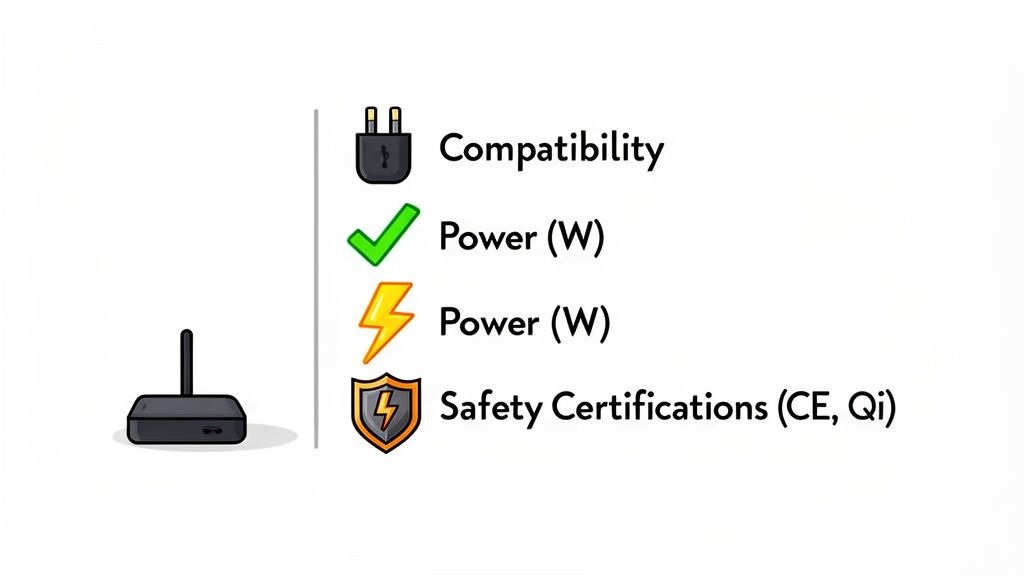
Finding the ideal docking station is about matching its features to your daily routine, not about choosing the most expensive one. The first consideration is always compatibility. Ensure the dock is designed to work with your specific equipment, whether that is a laptop, an iPhone, or an Android smartphone. If you are looking at wireless chargers, double-check that your phone supports the correct standard, such as Qi or MagSafe.
Next, consider power. This is measured in watts (W), and it directly affects how quickly your devices will charge. A 15W charger, for instance, will charge your iPhone much faster than an old 5W plug. For a multi-device hub like a wireless charging station, you should check the total output to ensure it can handle everything at once without slowing down.
Key Buying Criteria to Consider
Once you have established the basics of compatibility and power, a few other details can differentiate a good dock from a great one. These factors impact safety, longevity, and overall convenience.
- Safety Certifications: This should not be overlooked. Look for safety marks such as CE and Qi certification. These assure you that the product has passed rigorous UK and European safety tests, protecting your expensive devices from issues like overheating or power surges.
- Build Quality and Portability: A dock built from solid, premium materials not only looks good on your desk but is also built to last. If you travel frequently, a compact, foldable design can be a significant advantage for packing light.
- Extra Features: Some docks offer more than just charging. Features like ambient RGB lighting, an adjustable stand for watching videos, or an extra USB port for another device can enhance the experience. These extras can turn a simple utility into a functional centrepiece for your space.
Making an Informed Choice in the UK Market
Here in the UK, docking stations have become essential, particularly with the rise of hybrid working. With projections showing that 50% of desk jobs could be hybrid by 2025, the need for a tidy, efficient home office has never been greater. It is not surprising that online retailers are growing, expected to account for 65% of sales by next year. It is also worth noting that sustainability is a consideration for many, as nearly 70% of UK buyers state they prefer to buy technology from eco-conscious brands.
When you choose a docking station, you are not just buying a charger; you are investing in convenience and organisation. Look for a device that meets all the technical requirements but also fits your lifestyle with its design and features.
Frequently Asked Questions
To conclude, let's address a few common questions that arise when people are considering buying a docking station. Clarifying these points can make choosing the right one much easier.
Can I Keep My Phone Case On When Using a Wireless Charging Dock?
In most cases, yes. The majority of modern wireless chargers are powerful enough to send a charge through cases up to 5mm thick. You will only encounter problems with very bulky, rugged cases, or those that have metal plates or a PopSocket on the back.
This is where MagSafe docks have an advantage. The magnets are designed to snap into place, creating a perfect connection even through a MagSafe-compatible case. It removes the guesswork and works consistently.
Do Wireless Chargers Waste More Electricity Than a Cable?
Technically, yes, but the difference is so small you are unlikely to notice it on your electricity bill. Wireless charging is not as efficient as a direct cable connection because a small amount of energy is lost as heat during the transfer.
While a wireless charger might use 40-80% more energy to deliver the same amount of power, the quantities are very small. Over an entire year, the extra cost is usually less than a pound. It is a minimal price to pay for the convenience.
Aren't All USB-C Docks Basically the Same?
No, and this is an important distinction. Just because the plug looks the same does not mean all USB-C ports are created equal. Some basic ports can only transfer data or handle a small amount of power.
For a proper laptop docking station, your laptop’s USB-C port needs two specific capabilities: DisplayPort Alt Mode (for sending video to a monitor) and Power Delivery (for receiving a charge from the dock). More advanced standards like Thunderbolt pack more power for running multiple 4K displays and very fast data transfers. Always double-check the specifications on both your laptop and the dock to ensure they will work together correctly.
Ready to declutter your desk and streamline your charging? Find the perfect hub for all your Apple equipment here at Cablenova. Check out our range of MagSafe-compatible multi-device docks and find a smarter way to power up. Explore Cablenova's Docking Stations