


For anyone with a modern iPhone in the UK, the number you will see everywhere for MagSafe is up to 15 watts (W). It is important to know this is the maximum possible speed, not what your phone will get 100% of the time. Consider it less a constant speed and more a speed limit.
Demystifying Real MagSafe Charging Speeds
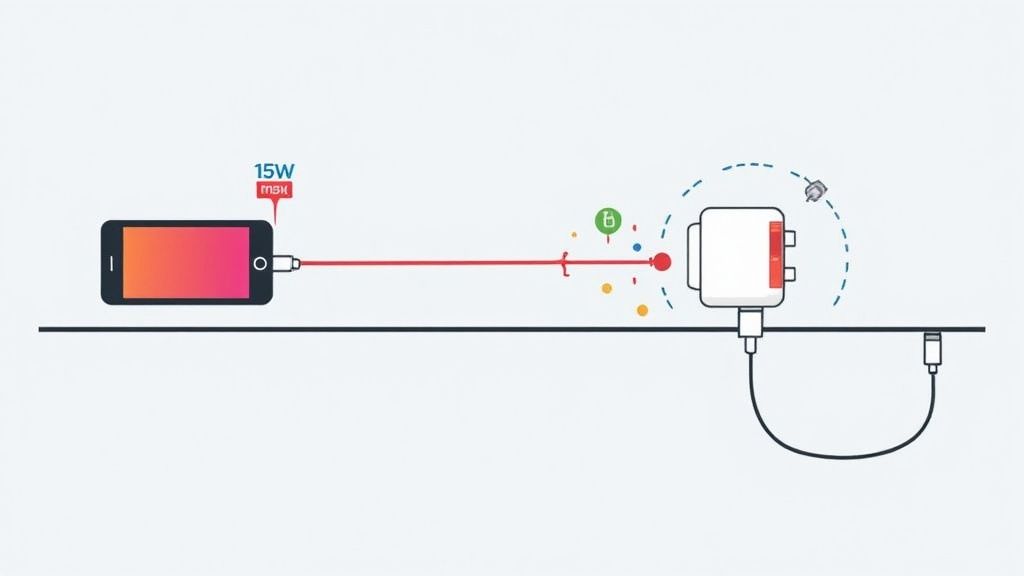
So, what does that 15W figure mean for you day-to-day? A good analogy is thinking about your home's water pressure. Your power adaptor is like the main water pipe, and your iPhone's battery is the bucket you're trying to fill. That 15W rating is the widest the pipe can possibly open, giving you the fastest flow.
However, just as a kink in a garden hose can slow the water to a trickle, things like heat, a slightly off-centre charger, or the wrong power brick can reduce the power getting to your phone. Your iPhone is smart; it constantly monitors the charging process and will deliberately slow things down to protect the battery if it starts getting too warm. This is why the speed you get is often different from the number on the box.
For a deeper dive into how this technology works, you can explore our guide on what MagSafe charging is.
Peak Power vs Consistent Performance
This is where the real difference between wireless and wired charging shows. While MagSafe can hit that 15W peak, it is much more sensitive to its surroundings. A standard 20W wired charger, on the other hand, delivers its power directly and reliably, which almost always means a faster charge from empty to full.
When Apple first launched MagSafe with the iPhone 12, its 15W speed was a trade-off for convenience against the faster 20W wired charging standard. For years, choosing wireless meant accepting a slower top-up. That is starting to change, but for most iPhones currently in use, the 15W cap remains the standard.
The advertised 15W is a benchmark, not a guarantee. Real MagSafe charging speed is a dynamic process, constantly adjusted by your iPhone to balance speed with battery health and safety.
To make this clear, let us break down how the different charging options compare.
iPhone Charging Methods at a Glance
This quick table gives you a simple look at the maximum theoretical speeds and what you can typically expect in the real world from different iPhone charging methods here in the UK.
| Charging Method | Maximum Power (Watts) | Typical Real-World Speed |
|---|---|---|
| Wired USB-C | 20W+ | Consistently fast |
| MagSafe | 15W | Good, but variable |
| Standard Qi Wireless | 7.5W | Slow and steady |
| Old 5W Adaptor | 5W | Very slow |
As you can see, MagSafe sits in a good middle ground—much faster than old-school wireless, but not quite as consistently quick as plugging in a cable. In the next sections, we will get into the details of what causes these speeds to change and how you can ensure you are getting the best performance from your MagSafe equipment.
The Key Factors That Control MagSafe Speed
Getting that top-tier 15W MagSafe speed is not just a case of snapping the charger onto your iPhone and walking away. A few different things need to line up perfectly. If even one of them is off, you will see your charging performance take a serious hit.
Getting to grips with these variables, from the plug you use to the temperature of the room, is the secret to unlocking the best possible wireless charging experience. Let us look into the five factors that dictate how fast your iPhone powers up.
Your Power Adaptor: The Foundation of Speed
More often than not, the culprit behind slow MagSafe charging is a weak power plug. To hit that 15W wireless charging peak, your MagSafe puck needs to be plugged into a USB-C power adaptor that can push out at least 20W.
Think of the power adaptor as the engine in your car. It does not matter how fast the car is built to go; a tiny engine will always hold it back. It is the same story here. That old 5W or 12W USB-A brick you have lying around does not have enough power to get MagSafe's fast-charging protocol off the ground.
A less powerful adaptor will still charge your phone, but it will be a trickle, not a flood. You will likely be capped at 7.5W or even less. The 20W minimum is the non-negotiable starting line for proper MagSafe speeds.
The Critical Role of Magnetic Alignment
The real magic of MagSafe, and its big advantage over standard Qi charging, is the magnets. That satisfying "snap" is not just for show; it is essential for an efficient and speedy transfer of power.
Imagine you are trying to send a signal between two torches by pointing their beams at each other. When they are perfectly lined up, the light transfers cleanly. But if one is a little off-centre, a lot of that light spills out and gets wasted.
Wireless charging works on a very similar principle. The coils inside the charger and your iPhone need to be perfectly aligned for maximum energy transfer. Even a slight misalignment wastes energy, creates extra heat, and forces the system to slow down the charging speed to protect itself. That is why the secure magnetic lock is so important for performance.
A perfect magnetic lock is the key to efficiency. It minimises wasted energy and heat, allowing the charger to deliver the highest possible wattage to your iPhone's battery.
How Temperature Throttles Charging Speed
Your iPhone is a smart piece of kit. It has safety systems built in to protect the battery, and one of its biggest priorities is managing heat. Heat is the arch-enemy of battery health, and charging naturally generates it.
If your iPhone senses its internal temperature creeping up too high, it will deliberately slow down the charging speed. This safety feature, known as thermal throttling, is designed to prevent long-term damage to the battery.
A few common things can cause your phone to get too warm while charging:
- A warm room: Charging in direct sunlight or a hot car will make the phone throttle its speed almost immediately.
- Heavy use: Playing a graphics-intensive game or streaming a film while charging creates a lot of heat, which gets added to the heat from the charger itself.
- Poorly designed cases: Some bulky cases act like an insulator, trapping heat and triggering the phone’s safety limits far sooner.
For the fastest possible charge, make sure your phone is somewhere cool and out of direct sunlight, and try to give it a rest from demanding tasks.
The Impact of Your iPhone Case
When it comes to MagSafe, not all phone cases are created equal. For the best speed and that solid magnetic connection, you absolutely need a case that is specifically designed to be MagSafe-compatible.
These cases have a ring of magnets built right into them that lines up perfectly with the magnets in your iPhone. This does two crucial things: it stops the case material from weakening the magnetic field, and it actively helps guide the charger into the ideal position.
Trying to use a thick, standard case can make the magnetic connection weak and sloppy, leading to poor alignment and much slower charging. In some cases, a very bulky case will block the connection entirely. If you want to guarantee top MagSafe speeds, sticking with a certified MagSafe case is the only way to go.
Why Your iPhone Model Matters
Ultimately, the specific iPhone model you own sets the final speed limit. While 15W has been the standard maximum for most models since the iPhone 12, there are a few exceptions.
For instance, the smaller iPhone 12 mini and iPhone 13 mini were capped at a slightly lower 12W charging speed due to their size and thermal management. On the other hand, future models might unlock even faster speeds as the technology evolves.
It is always worth knowing the specs for your particular device. No matter how powerful your plug or how perfect your alignment, your iPhone's own hardware and software will always have the final say on how much power it can safely draw.
Comparing MagSafe with Wired and Qi Charging
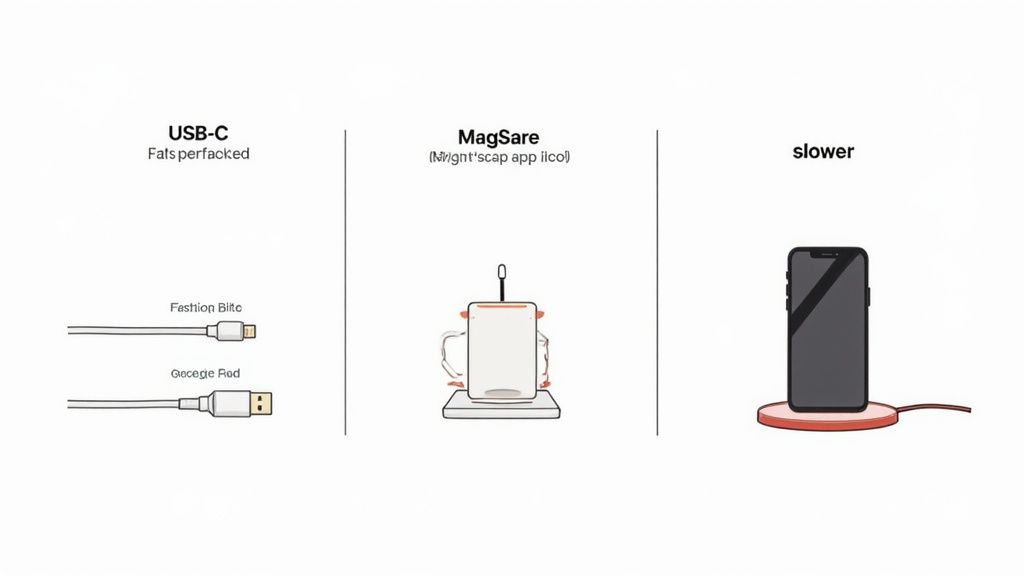
It is one thing to talk about raw numbers, but how does the MagSafe charging speed feel in the real world? When it comes to powering up your iPhone, you have three main choices: the trusty old cable, MagSafe, and the standard Qi wireless pads we have used for years. Each has its own characteristics when it comes to speed, convenience, and efficiency.
For anyone in the UK, the hierarchy is quite clear. A wired connection using a USB-C cable is still the undisputed king of speed. At the other end of the spectrum, standard Qi wireless charging is the slowest of the bunch, typically capping out at 7.5W for iPhones.
MagSafe was engineered to bridge that gap. It offers a serious performance boost over Qi, without forcing you to fiddle with a plug. It is the happy medium, mixing the ease of wireless with performance that gets you much closer to what a cable can do.
Real-World Charging Time: A Practical Look
Let us get practical and look at a typical charging scenario: taking an iPhone from 20% to 80%. We use this range because it's where your phone charges fastest, avoiding the slower trickle at the very beginning and end of a cycle.
Here is a rough idea of what to expect from each method:
- 20W USB-C Wired Charger: This is your express lane. You will get from 20% to 80% in about 35-45 minutes. The direct connection is incredibly efficient with minimal energy loss.
- 15W MagSafe Charger: MagSafe puts in a solid performance, taking roughly 60-75 minutes for that same 20% to 80% charge. It is noticeably slower than a cable, but the magnetic snap makes it far more dependable than standard Qi.
- 7.5W Qi Wireless Charger: This is the slow and steady option, often needing 90 minutes or more for the same job. Its lower power and fussiness about placement mean it is really best for overnight charging when you are in no rush.
So, while MagSafe will not beat a cable in a race, it shaves off a significant amount of waiting time compared to older wireless tech.
The Alignment Advantage: MagSafe Versus Qi
The biggest frustration with standard Qi charging has always been placement. If you do not set your phone down just right on the coil, the power transfer tanks. This not only slows down charging but also generates extra heat, which slows it down even more. We have all been there: you put your phone on a pad overnight, only to wake up and find it barely charged because it was slightly off-centre.
MagSafe solves this problem with its clever ring of magnets. That satisfying snap into place is not just for show; it guarantees a perfect connection every single time.
The magnetic lock is MagSafe's secret weapon. It takes all the guesswork out of wireless charging, ensuring you consistently get the best possible speed your device can handle.
This reliability is what makes the experience so much better. You get the simple "drop and go" convenience of wireless charging, but with the peace of mind that it is actually working properly. If you are looking to power multiple devices at once, our guide on choosing a charging station for iPhone can help you find the perfect setup.
Why Wired Charging Is Still the Speed King
Even with all the advancements in wireless technology, a humble cable is still the fastest way to charge your iPhone. A physical connection is just more efficient. Less energy is lost as heat compared to the inductive transfer of wireless charging. When you are in a hurry and need as much power as possible, as quickly as possible, plugging in remains your best bet.
That said, the gap is getting smaller. Tests often show that MagSafe can be about half as fast as a 20W wired charger, which is a huge leap for wireless convenience. For a wider look at what is possible with inductive power, you can explore the performance of advanced wireless charging stations.
Ultimately, your choice depends on what you need at that moment. For pure, unadulterated speed, grab a cable. But for an almost perfect blend of convenience and performance, MagSafe is the clear winner over the hit-or-miss experience of standard Qi.
How to Get the Fastest MagSafe Charge

Knowing what affects your MagSafe charging speed is one thing, but putting that knowledge into practice is another. Hitting that maximum 15W charge does not just happen by itself—it takes a deliberate setup where all the pieces of the puzzle fit together perfectly.
By following a few simple steps, you can make sure your iPhone is getting power as quickly and efficiently as it was designed to. Think of this as a quick, practical checklist to help you fine-tune your charging routine and sidestep the common mistakes that can slow you down.
Choose the Correct Power Adaptor
This is the single most important step, and it is surprisingly easy to get wrong. To unlock the full 15W speed of your MagSafe charger, you must plug it into a USB-C power adaptor rated for at least 20W. If you use an older, less powerful plug—like an old 5W or 12W brick—you will severely hinder your charging speed, often capping it at 7.5W or even less.
It is like trying to fill a swimming pool with a garden hose instead of a fire hose. The MagSafe system needs a certain amount of power to kick into high gear, and a 20W adaptor is the minimum requirement for entry. Anything less, and the charger cannot deliver on its promise.
Use Certified MagSafe-Compatible Cases
Not every case that snaps onto your phone is truly built for MagSafe. For the strongest connection and fastest charge, it is vital to use a case that is officially certified as MagSafe-compatible. These cases are not just magnetic; they are engineered with a precise ring of magnets that aligns perfectly with the ones inside your iPhone.
This perfect alignment is crucial for two reasons:
- It creates a rock-solid magnetic lock, so the charger will not accidentally shift.
- It ensures the charging coils are perfectly centred, which minimises energy loss and stops excess heat from building up.
A standard case, even a thin one, can create just enough of a gap to weaken the connection and slow things down. A certified case guarantees you get that perfect, efficient link every single time.
A properly certified MagSafe case is not just an accessory; it is a critical part of the whole charging system. It keeps the magnetic field strong and focused, which is fundamental to hitting top speeds.
Keep Things Cool and Ventilated
Heat is the number one enemy of fast charging. Your iPhone is smart—it has built-in safety features that will automatically slow down the charging speed if things get too warm. This process, called thermal throttling, is designed to protect your battery's long-term health.
To avoid this, always charge your iPhone in a cool, well-ventilated spot. Do not leave it in direct sunlight, on a soft surface like a duvet that can trap heat, or in a hot car. For the fastest charge, let your phone rest while it is on the charger instead of running demanding apps like games or streaming video. You can learn more about creating the ideal setup in our guide to choosing the best MagSafe charging dock.
Rely on Certified Chargers and Cables
Sticking with certified accessories from reputable brands is crucial for both performance and your peace of mind. Here in the UK, major retailers and Apple itself constantly advise that your choice of charger directly affects speed. Products that meet Apple's strict standards are built to "talk" to your iPhone correctly, ensuring they deliver the right voltage and current for the best power delivery without risking any damage.
Guidance from UK experts often highlights the clear power limits for different devices, helping you match the right charger to your phone. These certified products also adhere to UK safety regulations, which warn that using uncertified or multi-port chargers can split and reduce the power output to each device, making it impossible to reach those top speeds.
Solving Common MagSafe Charging Problems
Even with its slick design, MagSafe charging can sometimes be fussy. If your iPhone is charging slower than you would like, getting warm, or not connecting properly, do not panic. Most of the time, these hiccups are caused by small, easily fixable things rather than a major fault with your phone or charger.
Think of it as a quick MOT for your charging setup. By running through a few common culprits one by one, you can usually pinpoint what is slowing things down and get everything back on track. This simple troubleshooting process will help you rule out the basics and get back to enjoying fast, reliable wireless power.
Start with the Power Adaptor
Nine times out of ten, the reason for slow MagSafe charging is the power brick you are using. To get that top 15W wireless speed, your MagSafe puck needs to be plugged into a USB-C power adaptor that can supply at least 20W.
Have a look at the plug you are using. If it is one of those old, small 5W cubes or a 12W USB-A plug, it does not have enough power to kick MagSafe into high gear. Making this one change is often all it takes to solve the problem.
Clean Your Devices
It might sound trivial, but dust, lint, and even fingerprints can build up on both your iPhone and the MagSafe charger. This thin layer of grime can weaken the magnetic connection and get in the way of an efficient power transfer.
Just take a moment to wipe both surfaces with a soft, dry, lint-free cloth. Make sure the back of your iPhone and the face of the charging puck are spotless. This simple bit of housekeeping can often restore a strong, reliable connection.
Test Without a Case
Your phone case is a huge factor in the charging equation. Even if it feels thin, a case that is not MagSafe-compatible can create just enough distance or interference to reduce your charging speed or stop it from connecting at all.
To rule this out, take the case off and snap the MagSafe charger directly onto your iPhone. If the charging speed immediately picks up, you have found your culprit. Always go for a certified MagSafe-compatible case to guarantee a perfect magnetic lock and uninterrupted power every time.
A strong magnetic connection is non-negotiable for the best performance. Getting rid of potential barriers, like the wrong case, is a crucial first step in fixing any charging issues.
Restart Your iPhone
Sometimes, the problem is not with the hardware at all but a minor software glitch. A simple restart can clear out temporary bugs that might be interfering with the charging software.
Press and hold the side button and one of the volume buttons until the power-off slider appears. Slide it to power off, wait about 30 seconds, then press and hold the side button again to turn your iPhone back on. This quick refresh can often sort out any unexpected charging behaviour.
Check Your Charging Settings
Your iPhone has a smart feature called Optimised Battery Charging, which is designed to preserve your battery’s long-term health. It learns your daily routine, charges quickly to 80%, and then pauses, finishing the last 20% just before you typically wake up.
This is completely normal and not a fault. If you notice your charge is stuck at 80%, this feature is almost certainly why. You can check it by going to Settings > Battery > Battery Health & Charging. While it is best to leave it on for your battery's sake, you can turn it off temporarily if you need a full charge right away.
Got Questions About MagSafe Speed? We've Got Answers
Even when you know the basics, real-world questions about MagSafe always pop up. Here are some straightforward answers to the queries we hear most often from our customers, clearing up any confusion so you can get the most out of your charger.
Is 15W Really Fast Enough for Daily Use?
Yes. For most people, 15W is the sweet spot. While it is not quite as quick as plugging into a 20W wired charger, it is a massive step up from the old 5W plugs or standard 7.5W Qi wireless chargers.
Think about your daily routine. Whether you are charging overnight or just topping up your iPhone at your desk, 15W delivers a reliable and convenient boost. The real win with MagSafe is that blend of speed and simplicity, which usually matters more than getting the absolute fastest charge possible.
Does Using My iPhone While Charging Slow It Down?
Yes, it does. If you are scrolling through social media or watching a video while your iPhone is on a MagSafe charger, you will notice the charging rate drop. There are two simple reasons for this.
First, your phone's processor is working hard to run your apps, which means it is drawing power that would otherwise go straight to the battery. Second, all that activity generates heat. As we mentioned earlier, your iPhone is smart enough to protect its battery by slowing down the charge—a safety feature called thermal throttling—when things get too warm. If speed is your priority, it is best to let your phone rest while it charges.
Will Any Magnetic Case Work with MagSafe?
No, and this is an important one. There is a huge difference between a simple "magnetic case" and a proper "MagSafe-compatible" case. Only cases built with the specific MagSafe magnet ring will give you that perfect, snappy alignment needed for a full 15W charge.
If you use a standard magnetic case, or any thick case without the official magnets, you will almost certainly get a weak connection. This not only reduces your charging speed but can also cause the charger to get unusually warm. For the best performance and peace of mind, always stick to a case that is certified as MagSafe-compatible.
A certified case is not just an accessory; it is a core part of the MagSafe system. It guarantees a strong, perfectly aligned magnetic lock, which is the secret to hitting top charging speeds.
Can I Use My 60W MacBook Adapter for MagSafe?
You can, and it is perfectly safe. But do not expect it to supercharge your iPhone. Your phone will not charge any faster with a more powerful brick.
The iPhone and the MagSafe puck are designed to talk to each other to figure out the right amount of power to use, which is capped at 15W for most iPhones. As long as your power adapter provides at least 20W, you will get the maximum MagSafe speed. A more powerful adapter will simply supply the 15W your phone asks for without causing any issues.
Why Does My MagSafe Charger Get Warm?
It is completely normal for both your MagSafe charger and your iPhone to feel a little warm while charging. The technology behind it, inductive charging, naturally creates some heat as it transfers power wirelessly.
However, if either device gets uncomfortably hot to the touch, that could signal a problem. It is often caused by a misaligned connection, a non-compatible case trapping heat, or trying to charge in a hot spot like direct sunlight. If you notice things getting too warm, disconnect the charger and let everything cool down before checking for the cause.
Does MagSafe Stop Charging at 100%?
It does. Your iPhone's battery management system is smart enough to cut off the power once the battery is full. This is a crucial feature that prevents overcharging and helps keep your battery healthy in the long run.
You might also notice the 'Optimised Battery Charging' feature at work. It often pauses the charge at 80%, especially overnight, and then finishes the last 20% just before you normally wake up. This system is designed to extend your battery’s lifespan by minimising the time it spends sitting at full charge.
At Cablenova, we craft MagSafe-compatible accessories that are built for top-tier performance and reliability. From our multi-device docks like the GlowStation™ and HexHub™, which deliver fast, consistent power, to our protective cases designed for a perfect magnetic snap, our products ensure you get the best possible MagSafe speed every time. See our full range of charging solutions at https://cablenova.com.