


In its simplest form, MagSafe is Apple's magnetic system for attaching accessories to your iPhone and charging it wirelessly. It first appeared with the iPhone 12 series, providing a straightforward way to connect cases, wallets, and chargers with a satisfying click.
What Is MagSafe and How Does It Work?
If you have ever placed your phone on a wireless charger overnight, only to wake up and find it did not charge because it was not lined up correctly, you already understand the problem MagSafe was designed to solve.
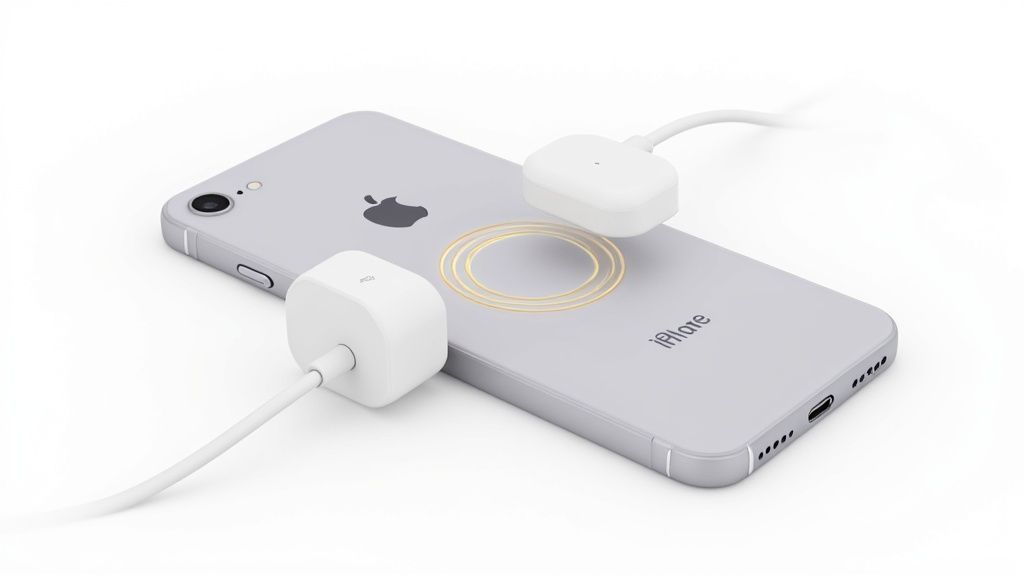
At its core, MagSafe is a ring of magnets built into the back of iPhones, starting with the iPhone 12. These magnets are arranged to match perfectly with magnets in MagSafe-compatible accessories. Think of it like two perfectly fitting puzzle pieces; the magnets pull the accessory into the ideal spot and hold it there securely.
The Technology Behind the 'Snap'
This is not just a collection of simple magnets. Several components work in harmony to make the connection feel seamless and intelligent. When a MagSafe accessory gets close to the back of your iPhone, the magnets attract, creating that signature ‘snap’ into place.
This process involves a few key components inside your iPhone:
- A Magnet Ring: This is the main component. It ensures the perfect alignment needed for fast, efficient charging and a solid attachment.
- An Alignment Magnet: A single, vertically oriented magnet in the ring helps accessories like wallets and stands always face the right way up. No more crooked attachments.
- A Magnetometer: This is a tiny sensor that detects the magnetic field and tells your iPhone when an accessory has been attached.
- An NFC Reader: This Near Field Communication chip lets the iPhone identify what kind of accessory you have just connected, triggering on-screen animations or special functions.
To give you a clearer picture, here is a quick breakdown of what makes MagSafe work.
MagSafe At A Glance: Key Features
| Feature | Function |
|---|---|
| Magnet Ring | Ensures precise alignment for charging and secure mounting. |
| Alignment Magnet | Orients accessories correctly (e.g., wallets facing up). |
| Magnetometer | Senses the magnetic field to detect an attached accessory. |
| NFC Reader | Identifies the type of accessory connected for smart interactions. |
These components all work together to create an experience that feels both intuitive and reliable, which is what MagSafe is all about.
More Than Just a Charger
While it started with charging, MagSafe has grown into an entire ecosystem. The technology combines magnets, sensors, and software to create a platform that supports everything from chargers and cases to wallets and car mounts. In the UK, tech-savvy consumers have embraced it, with MagSafe-compatible phone cases becoming incredibly popular.
If you are interested in the figures, you can explore more data on the MagSafe accessories market to see just how quickly it has grown. This clever integration is what gives MagSafe its real meaning—it is not just a way to charge, but a versatile system for all sorts of accessories.
MagSafe vs Standard Qi Wireless Charging: What's the Difference?
If you have used a modern smartphone, you are probably familiar with Qi (pronounced ‘chee’) wireless charging. It is the universal standard that lets you place your phone on a charging pad and power it up, no cables needed. MagSafe actually uses this same Qi technology as its foundation, but Apple added one simple yet effective twist: magnets.
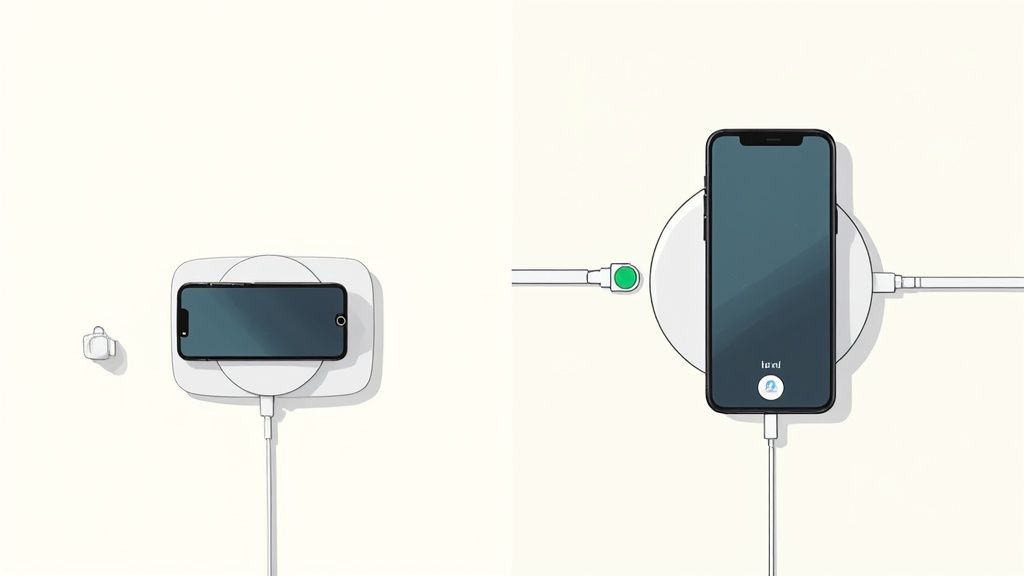
The biggest issue with standard Qi charging has always been alignment. Many of us have woken up to a dead phone because it was nudged just a centimetre off the charger's "sweet spot" during the night. That tiny shift is enough to break the connection and stop the power flow completely.
MagSafe fixes this with its ring of magnets. You do not have to hunt for the perfect spot anymore. Instead, the magnets guide the charger into the ideal position with a satisfying snap.
This magnetic lock ensures you get a solid, reliable connection every time. It takes all the guesswork out of wireless charging, so you never wake up to an uncharged phone again. The connection is so secure you can even pick up and use your iPhone while it continues charging.
The Speed Advantage
Perfect alignment is helpful, but the other major benefit of MagSafe is speed. An iPhone will charge on a standard Qi pad, but Apple caps the power it can draw at 7.5 watts (W). It works, but it is not particularly fast.
With a certified MagSafe charger, however, that number jumps to a much more impressive 15W for compatible iPhones. That means your device can charge twice as fast as it would on a standard Qi charger, getting you back to 100% in a fraction of the time. This efficiency boost is a direct result of that perfect magnetic alignment—less energy is wasted, so more power goes into your battery. If you're trying to keep multiple devices topped up, a dedicated charging station for your iPhone can be a tidy and effective setup.
Qi vs MagSafe: A Quick Comparison
When it comes down to it, the choice between the two is all about efficiency and convenience. Both get the job done wirelessly, but for iPhone users, their performance is worlds apart.
| Feature | Standard Qi Charging | MagSafe Charging |
|---|---|---|
| Alignment | Manual; you have to place it just right. | Automatic; magnets snap it perfectly into place. |
| Max Speed (iPhone) | 7.5W | Up to 15W (when paired with a 20W+ power adaptor). |
| Connection | Unsecured; easily knocked out of position. | Secure magnetic lock. |
| In-Use Charging | Tricky, as the phone has to stay flat on the pad. | Easy; you can hold and use your phone while it charges. |
In short, MagSafe takes the basic idea of Qi and refines it specifically for the iPhone. It removes the most common frustrations of wireless charging, delivering a faster, more dependable, and simply better experience.
Exploring the MagSafe Accessory Ecosystem
Charging is just the beginning. The real value of MagSafe comes alive when you explore its ever-growing world of accessories. The system’s magnetic 'snap' is what makes it so useful—letting you attach and detach different gear in an instant. Your iPhone can transform to fit whatever you are doing, right when you need it to.
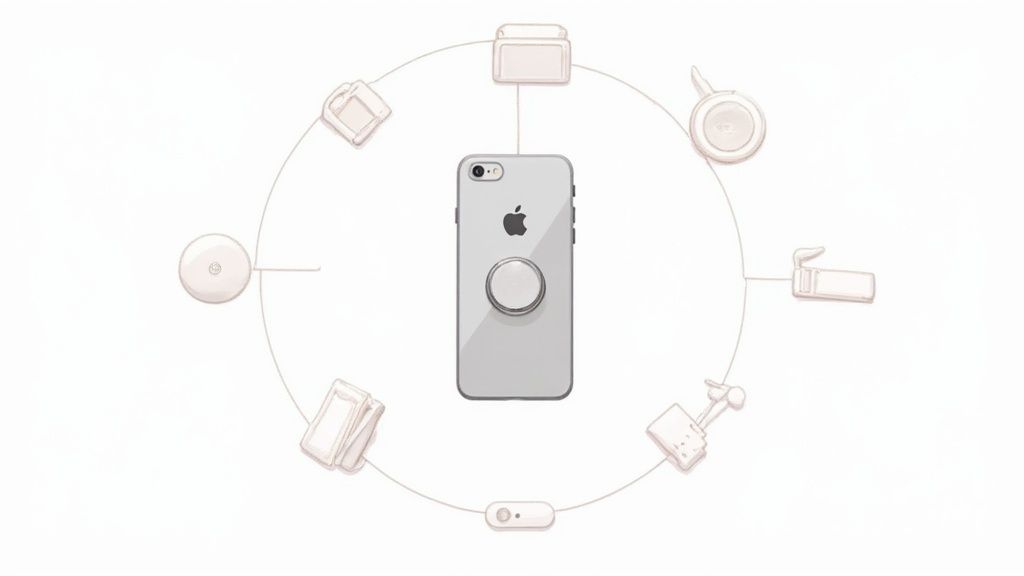
This modular, click-on, click-off approach is what makes the whole system so practical. You can snap your iPhone onto a car mount for navigating on your commute. Once you arrive, you can remove it and attach a slim wallet for the day. No fiddly clips or sticky adhesives, just a satisfying click.
This quick-swap design is at the heart of the experience, turning your phone into a true multi-purpose tool. And with new accessories appearing all the time, there is a solution for almost every part of your day.
Key Types of MagSafe Accessories
The MagSafe market is growing rapidly, but most accessories fit into a few main categories. Each one is built to enhance your iPhone in a specific way, all relying on that simple, secure magnetic connection.
- Chargers and Power Banks: This covers everything from simple charging pucks and stands that power up multiple devices, to portable power banks that snap onto the back of your phone for a top-up when you are out and about.
- Cases: A good MagSafe case is essential. They have their own ring of magnets built in, which strengthens the connection between your iPhone and any other accessory you use.
- Wallets and Card Holders: These are slim, magnetic pockets that attach to your phone or case. They are perfect for carrying a couple of essential cards without the bulk of a traditional wallet.
- Mounts and Stands: This category is extensive. It includes car dashboard mounts, desk stands for video calls, and even tripod adaptors for photographers—all designed to hold your phone securely for hands-free use.
The demand for these accessories has been significant. In the UK, where people appreciate clean, design-led technology, MagSafe's cable-free convenience has made it a popular choice in homes and offices. The global MagSafe charger market was valued at USD 2.4 billion in 2024 and is expected to climb to USD 9.1 billion by 2032. It is a clear sign of just how popular it has become. You can discover more insights about the MagSafe market growth if you are interested in the figures.
Creating a Seamless Workflow
The true strength of MagSafe is how all these different accessories work together. In a typical day, you might find yourself switching between several of them without thinking about it.
Imagine this: you start your morning by placing your iPhone on a bedside charging stand. When you get up, you snap on your case and wallet. In the car, it clicks onto a mount for your drive. At work, it attaches to a desk stand for video calls. In the evening, you might attach a grip to make scrolling more comfortable.
This effortless flow between uses is what really sets MagSafe apart. It is more than just a way to charge your phone; it is a complete system designed to make your device more versatile and convenient. And as more creative accessories come to the market, its usefulness will only grow.
Which Apple Devices Work with MagSafe?
If you are ready to try out the satisfying snap of MagSafe, you may wonder which devices work with it. The answer is quite straightforward. Apple introduced this new version of MagSafe with the iPhone 12 series in 2020, and it has been a core feature of every flagship iPhone since.
That means if you have an iPhone from the 12, 13, 14, or 15 lineup, or anything newer, you are set. Your phone has the entire magnetic system built-in, giving you that perfect alignment, faster 15W wireless charging, and the ability to attach cases, wallets, and mounts effortlessly.
iPhone MagSafe Compatibility Chart
To make it clear, here is a simple breakdown of the iPhone models that are fully compatible with the MagSafe accessory system. If your iPhone is on this list, it has the magnets needed for that secure, snap-on connection.
| iPhone Model Series | Full MagSafe Compatibility |
|---|---|
| iPhone 12 Series | Yes (12, Mini, Pro, Pro Max) |
| iPhone 13 Series | Yes (13, Mini, Pro, Pro Max) |
| iPhone 14 Series | Yes (14, Plus, Pro, Pro Max) |
| iPhone 15 Series | Yes (15, Plus, Pro, Pro Max) |
| iPhone 16 Series & Newer | Yes (All future flagship models) |
It is worth noting that older iPhones (like the iPhone 11 or iPhone X) do support standard Qi wireless charging. But they are missing the key ingredient: the magnets. So, while they can charge on a MagSafe pad, you will not get the auto-alignment and secure lock that makes MagSafe so useful.
A Note on Other Apple Devices
This is where things can get a little confusing. You might have noticed that your AirPods or AirPods Pro case charges on a MagSafe charger. While that is true, the case itself does not have the magnetic ring to snap into place like an iPhone does. It just rests on top.
You might also remember the name 'MagSafe' from older MacBook chargers. This was an earlier magnetic safety connector for laptops, designed to detach easily if the cable was pulled. It is a completely different technology and is not compatible with the iPhone MagSafe system.
The main thing to remember is this: for the full 'snap-on' accessory experience, you need an iPhone 12 or a newer model. That is the key to unlocking everything MagSafe has to offer.
How to Choose the Right MagSafe Accessories
Entering the world of MagSafe gear can feel a bit overwhelming at first, but it is quite straightforward once you know what to look for. Picking the right item of kit really just boils down to what you need – are you after the fastest possible charge, a rock-solid car mount, or simply a nice-looking case?

The biggest thing you need to understand is the difference between official 'Made for MagSafe' products and those that are simply 'MagSafe-compatible'. This one detail makes all the difference in charging speed and performance, so it is the most important part of your decision.
Certified vs Compatible Accessories
When you see an accessory labelled 'Made for MagSafe', it means it has official Apple MagSafe technology built-in. These products have gone through Apple's testing process and have been approved, so you know they meet high standards.
The main advantage is guaranteed performance. A certified charger will always give your iPhone the fastest possible 15W wireless charge. That official badge means the charger and your phone can communicate perfectly to deliver power as efficiently as possible.
On the other hand, you have 'MagSafe-compatible' accessories. These are made by other brands and have magnets so they can snap onto your iPhone, but they do not have the official Apple technology inside. They provide that satisfying magnetic click, but their charging speeds are usually capped at the standard Qi wireless speed of 7.5W.
For many people, just having the magnetic alignment is perfect for overnight charging or topping up at their desk. But if getting your battery full as quickly as possible is what you're after, you'll want to look for that 'Made for MagSafe' logo.
What to Look for in Different Products
Charging speed is not the only thing that matters, of course. Depending on what you are buying, there are other things to keep an eye on to make sure you get something that is reliable and fits into your daily life.
Here are a few pointers for common accessories:
- Cases: Make sure you get a case with its own magnetic ring. A regular case, even a thin one, will seriously weaken the magnetic connection, making things like wallets and mounts practically useless.
- Car Mounts: Here, magnet strength is everything. You need a mount that can hold your iPhone securely, especially when you are driving over bumpy British roads. The last thing you want is your phone flying off on a sharp turn.
- Wallets: Pay attention to the build quality and how firmly it snaps on. A good wallet should feel locked into place and not move around when you are pulling it out of your pocket.
- Charging Docks: If you need to power up multiple gadgets at once, look for a versatile station. Our guide to choosing a MagSafe charging dock has some great tips for finding the perfect one for your setup.
At the end of the day, it is all about making an informed choice. Decide if you absolutely need that 15W fast charging or if the simple convenience of magnets is enough for you, and you will find the perfect accessory in no time.
Getting the Most Out of Your MagSafe Gear
You have got your MagSafe kit. Now, let's talk about how to make it work effectively for you. A few simple tricks can make a world of difference, ensuring you get fast charging speeds and that satisfyingly secure 'click' every time.
First things first: your iPhone case is very important. You might love your old case, but if it was not made for MagSafe, it will weaken that magnetic connection significantly. A wallet might slide right off, and charging will be patchy at best, if it works at all.
The golden rule is to use a case that is officially 'MagSafe-compatible'. These are not just thin cases; they have their own ring of magnets built-in. This essentially reinforces your iPhone's own magnets, creating a solid link with any accessory you attach.
How to Get Top Charging Speed
If you want the fastest possible wireless charge, it is all about the power adaptor you plug your MagSafe puck into. While the charger itself can deliver up to 15W to your iPhone, it cannot create power out of thin air.
If you are using an old 5W or 12W power adaptor you have lying around, you are going to see much slower speeds. To unlock the full 15W, you need to pair your MagSafe charger with a USB-C power adaptor that is rated for 20W or higher. This gives the charger enough power to perform at its peak. For a deeper dive, check out our guide on boosting your MagSafe charging speed.
Using Car Mounts Without Any Issues
MagSafe car mounts are a game-changer for using maps on the go, but you absolutely need that connection to be secure—especially on our potholed roads. The strength of the hold comes down to the mount itself and, you guessed it, your case. A proper MagSafe-compatible case is not just a recommendation here; it is essential.
A few tips for a wobble-free setup:
- Pick Your Spot Wisely: Place the mount on a clean, flat part of your dashboard or windscreen. If you are using a vent mount, make sure it is clipped onto a solid, sturdy part of the vent slat, not a flimsy edge.
- Keep It Clean: Before you stick anything on, give the dashboard and the back of your phone (or case) a quick wipe. Dust and greasy fingerprints are the enemies of a good magnetic grip.
- Give It a Nudge: Once your iPhone is on the mount, give it a gentle wiggle. It should feel completely solid. If there is any movement, you might need to reposition it.
Here is a simple tip: keep your magnetic surfaces clean. Every now and then, wipe down your MagSafe charger, the back of your iPhone, and your accessories. It stops small bits of grit and dust from getting in the way and weakening the connection, so you always get that perfect, satisfying snap.
MagSafe FAQs: Your Questions Answered
Let's clear up a few of the most common questions people have when they start using MagSafe.
Will MagSafe Damage My Credit Cards?
This is a major concern, but thankfully, you do not need to worry. Apple’s official MagSafe wallets are built with special shielding to keep your credit cards safe from the magnets.
That said, you probably should not sandwich a single, unshielded card (like a hotel key or an old bus pass) between your iPhone and the charger. The magnetic field could interfere with its magnetic strip.
The bottom line is to stick to accessories designed for the job. Properly shielded wallets are your best bet for keeping everything working as it should.
Do I Really Need a MagSafe Case?
For the best results, yes. You might get a very weak connection through an ultra-thin standard case, but the magnetic grip will be poor, and it probably will not charge properly.
A proper 'MagSafe-compatible' case has its own ring of magnets that aligns perfectly with the ones in your iPhone. This creates that solid, satisfying lock you need for accessories like car mounts or wallets to stay put. Without it, you risk your phone taking a tumble.
Is MagSafe Faster Than Plugging in a Cable?
No, a traditional cable is still the fastest option. A USB-C to Lightning cable paired with a 20W power adaptor will always charge your iPhone faster.
MagSafe tops out at 15W, which is a significant step up from the 7.5W you get with standard Qi wireless charging, but it cannot compete with a direct wired connection. MagSafe's real strength is convenience, not raw speed.
Ready to make your charging setup a whole lot simpler? Discover the snap-and-go ease of magnetic, multi-device charging with Cablenova's full range of MagSafe-compatible accessories.
Check out the collection at https://cablenova.com.