


Is it possible to charge an iPhone XR without a cable? The simple answer is yes. The iPhone XR was one of the first Apple devices to bring this feature to the mainstream, using the universal Qi standard. This means you can place it on almost any wireless charging pad and it will begin to power up, no fiddling with cables required.
Understanding Your iPhone XR and Wireless Charging

When the iPhone XR arrived in October 2018, its glass back was not just for aesthetics; it was essential for making wireless charging a reality. This technology allows you to charge your phone simply by placing it on a compatible mat. It is all thanks to Qi (pronounced 'chee'), the global standard for this type of inductive charging.
The convenience of placing a phone down on a charger caught on quickly across the UK. With so many of us using iPhones, wireless pads began appearing on desks, kitchen counters, and bedside tables, helping to clear away the usual tangle of cables. For those interested in how common these devices are, you can find some fascinating UK mobile statistics.
Key Benefits of Going Wireless
For anyone still using an iPhone XR, switching to wireless charging is not just a novelty. It brings several genuinely useful advantages to your daily routine.
- Reduced Clutter: A single charging pad can tidy up your desk or nightstand, replacing a mess of cables with something much neater.
- Enhanced Convenience: It is simply easier. Placing your phone onto a pad is quicker than finding and plugging in a cable, especially late at night.
- Less Wear on Ports: Constantly plugging and unplugging a Lightning cable puts stress on the charging port. Going wireless gives it a rest, which can help it last longer.
This technology is about more than just convenience; it is a small but significant shift in how we interact with our phones. Once you become accustomed to the simplicity of wireless, it is difficult to go back to plugging in a cable for your daily top-ups.
Apple was rolling out this feature across several models around the same time. If you are interested in how it compares to other phones from that era, you can read our guide on the iPhone SE and its wireless charging capabilities. For many, the iPhone XR was the ideal introduction to a world without wires.
How Does Wireless Charging Actually Work?
Wireless charging may seem complex. You place your iPhone XR down on a charging pad, and it starts powering up without any cables. The science behind it, however, is quite straightforward and has been around for a long time. It is the same principle that charges an electric toothbrush in its stand.
The technology is called inductive charging, and it is the engine behind the Qi standard that your iPhone XR uses. Inside every wireless charging mat, there is a coil of wire. When you plug the mat in, electricity flows through this coil and creates a small electromagnetic field around it. Your iPhone XR has a similar receiver coil built into its glass back.
When you place the phone onto the mat, that magnetic field causes an electric current to flow in the phone's coil, which in turn charges the battery. Think of it as a tiny, invisible handshake transferring power from the pad to your phone.
The iPhone XR’s Charging Speed Explained
How fast can you expect your iPhone XR to charge wirelessly? Apple designed it to support a maximum speed of 7.5 watts (7.5W). This is a specific power level set for that generation of iPhones to ensure a safe and steady charge.
You will often see charging pads advertised with much higher numbers, like 10W or even 15W. While these will work just fine, your iPhone XR will only ever draw the 7.5W it is designed for. This built-in limit is a good thing – it stops the battery from overheating and keeps everything running efficiently.
In practical terms, 7.5W is ideal for overnight charging on your bedside table or for keeping your battery topped up at your desk during the day. It is important to realise that it is not as fast as plugging in a cable. A standard 5W wired charger takes just over three hours for a full charge, while a 7.5W wireless charger is a bit slower, typically needing closer to four hours. You are trading a little speed for a lot of convenience.
The most important thing to remember is that any charger with official Qi certification will work perfectly with your iPhone XR. This universal standard means you are not locked into buying an Apple-branded charger; any reputable third-party option will deliver the correct 7.5W of power safely.
This 'mix and match' capability is the real beauty of the Qi standard. It creates a reliable system where you can be confident that a charger from a brand like Anker or Belkin will work seamlessly with your Apple device. Just look for the official Qi logo on the box, and you can enjoy a clutter-free way to keep your iPhone XR powered up with total peace of mind.
Understanding the Difference Between Qi and MagSafe
If you have been around newer iPhones, you have probably heard the term MagSafe. It might sound like a completely new piece of technology, but it is actually the next step up from the same Qi wireless charging standard your iPhone XR uses. Understanding this difference helps to make sense of your own charging setup.
At their core, both systems rely on inductive charging to send power through the air. The main difference with MagSafe is the addition of a ring of magnets built around the charging coil inside the phone. These magnets make the iPhone snap perfectly onto a compatible charger every single time, which is excellent for achieving the most efficient power transfer.
With the standard Qi charging on an iPhone XR, you have to be a bit more deliberate. You need to place your phone carefully on the pad to make sure the internal coils line up correctly. If it is even slightly off-centre, you might find it charges more slowly, or not at all. It is this small manual step that makes the experience feel different.
The Impact on Charging Speed and Convenience
That perfect alignment you get with MagSafe is not just for show—it also unlocks faster charging speeds. While your iPhone XR tops out at 7.5W for wireless charging, MagSafe lets newer models power up at 15W. The magnetic lock ensures the most efficient connection possible, which means less energy is wasted as heat and the whole process gets a speed boost.
This simple illustration shows you how the power flows from a charging pad to your iPhone XR.
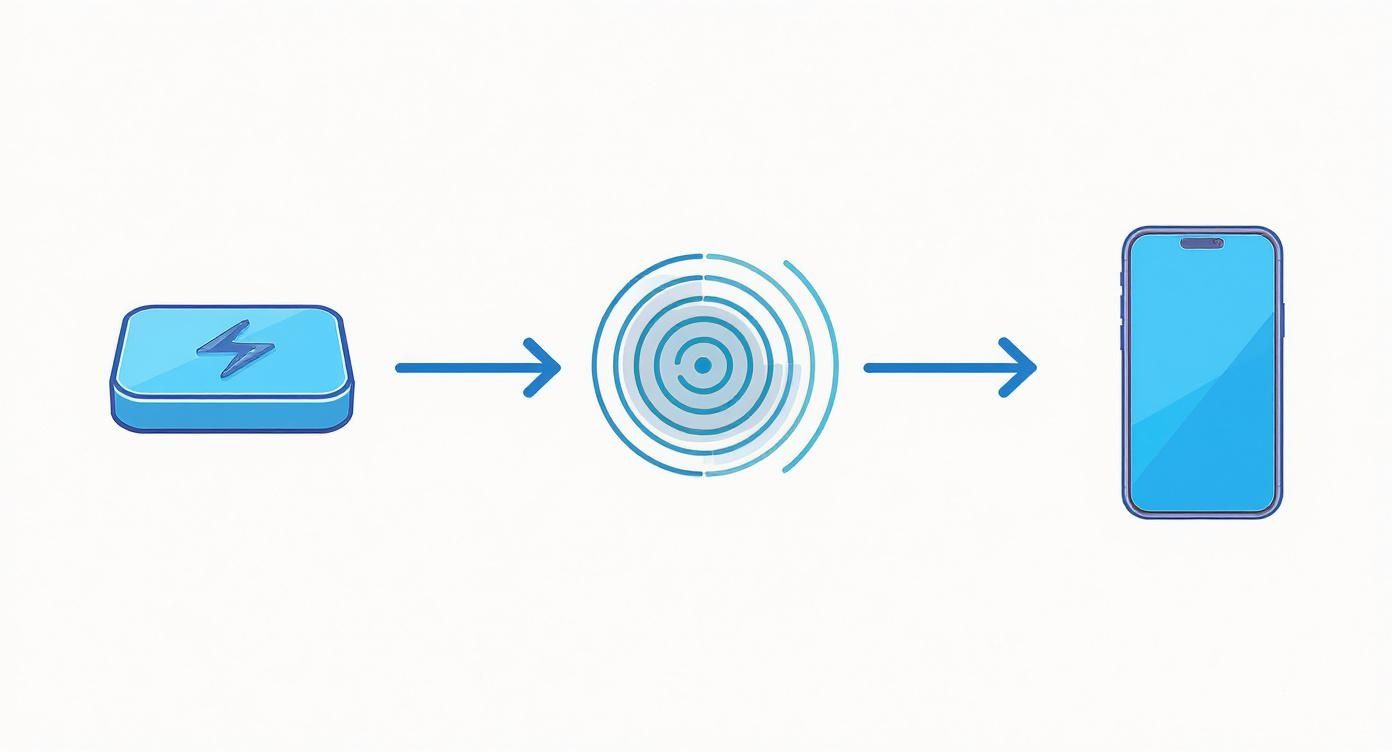
As you can see, the electromagnetic field is the invisible bridge between the charger and your phone's receiver coil. For an iPhone XR, getting the placement right is what makes that connection strong and stable.
To make things clear, let's break down the key differences between the two standards side-by-side.
Qi Charging (iPhone XR) vs MagSafe (iPhone 12 and Newer)
| Feature | Qi Wireless Charging (iPhone XR) | MagSafe Charging (iPhone 12+) |
|---|---|---|
| Core Technology | Inductive Charging (Qi Standard) | Inductive Charging with Magnetic Alignment |
| Alignment | Manual; requires precise placement on pad | Automatic; magnets snap it into the perfect spot |
| Max Charging Speed | 7.5W | Up to 15W (with a compatible adapter) |
| Compatibility | Works with any Qi-certified charger | Works with MagSafe and Qi chargers |
| Accessory Ecosystem | Primarily charging pads and stands | Wide range of magnetic cases, wallets, and mounts |
This table highlights how MagSafe builds upon the solid foundation of Qi by adding a clever magnetic system for a smoother and faster experience.
MagSafe essentially perfects the Qi charging process by removing the guesswork of alignment. For iPhone XR users, this simply means being a little more mindful when placing the phone down to ensure a solid connection.
You might be wondering if you can use a MagSafe charger with your XR. The answer is yes. It will simply work like a standard Qi pad, delivering the 7.5W your phone is designed for—you just will not get the magnetic "snap." If you are curious about how these chargers fit into a desk setup, you could explore different options like a MagSafe charging dock.
This kind of forward-and-backward compatibility is a hallmark of Apple's design philosophy. To get a broader sense of this, looking into Apple's HomeKit ecosystem offers great insight into how all their devices, from phones to smart home gadgets, are designed to work together seamlessly.
How to Choose the Right Wireless Charger and Case
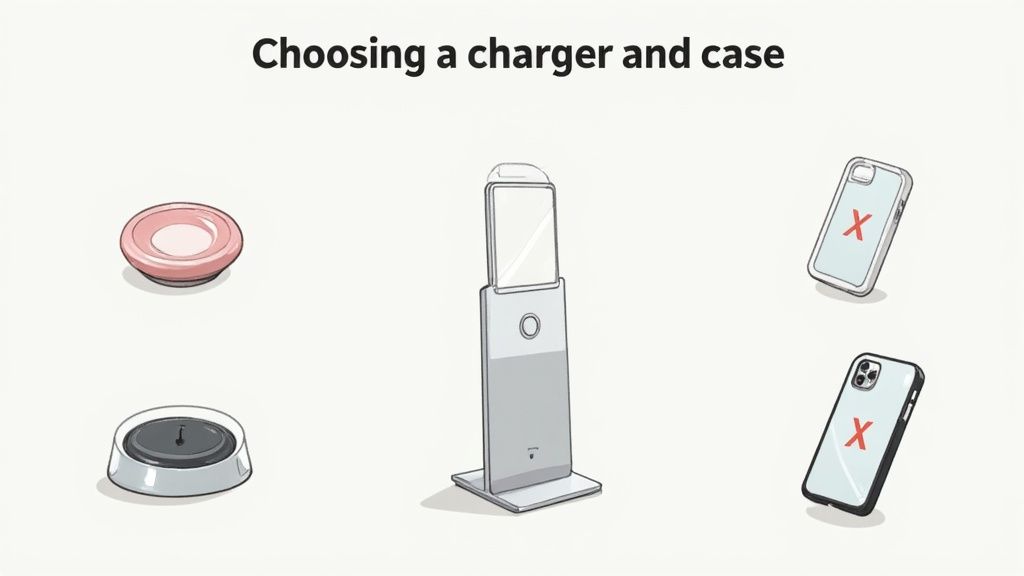
Getting your wireless charging setup right for your iPhone XR is about picking the right equipment. With so many chargers and cases on the market, it is easy to feel overwhelmed. Let’s focus on what actually matters for a reliable experience.
Choosing a charger is not just about aesthetics; it is about safety and performance. The most important thing to look for is the Qi-certified logo. This is a seal of approval, guaranteeing the charger has passed strict safety tests for heat and efficiency. A certified charger will not just work better – it will protect your iPhone's battery in the long run.
Selecting the Ideal Wireless Charger
When you are looking for a wireless charger for your iPhone XR, here are the three key things to keep in mind:
- Power Output: You will want a charger that can deliver at least 7.5W. Your iPhone XR is capped at this speed, so anything higher will not make it faster, but using a weaker 5W charger will slow things down.
- Form Factor: Think about where you will use it most. A flat charging pad, like our no-fuss JuicePad Qi Wireless Fast Charging Pad, is perfect for a bedside table. If it is for your desk, an upright stand is a great choice so you can see notifications as they come in.
- Power Adapter: Do not forget the plug. The wireless pad needs a decent power source. Make sure it either comes with a good wall adapter or that you have one powerful enough to supply the 7.5W needed. Plugging it into a standard laptop USB port is often not enough and leads to slow charging.
The wireless charger market in the UK has grown significantly since the iPhone XR first came out. It is a trend that is here to stay, with Europe expecting to see growth of over 22% in wireless charging between 2025 and 2030. It is quickly becoming a standard feature for our daily tech. You can read more about the expanding wireless charging market on Grand View Research.
Finding a Compatible Phone Case
The case you choose for your iPhone XR is just as important as the charger itself. For wireless charging to work, the signal needs a clear path from the pad to the phone, and some cases can act as roadblocks.
A common mistake is assuming any case will work. The material and thickness of a case directly impact its compatibility with iPhone XR wireless charging, and getting it wrong is a frequent source of frustration.
To make sure your phone charges, follow these simple rules:
- Thickness: Stick to cases no thicker than 5mm. Anything chunkier, especially rugged "armour" cases, can easily block the connection.
- Material: Avoid cases that have any metal in them. That means no metal plates for magnetic car mounts and no decorative metal accents. Metal is the enemy of wireless charging.
- Contents: If you use a folio case, always take your credit cards or any RFID cards out before placing it on the charger. The magnetic field can damage them and will almost certainly stop the phone from charging.
By picking a Qi-certified charger and a slim, non-metallic case, you will have a reliable setup that makes powering up your iPhone XR completely effortless.
Troubleshooting Common Wireless Charging Problems
Even with the correct charger and case, you might encounter a situation where your iPhone XR will not work with its wireless charger. It can be frustrating, but most of these problems are easy to fix. You probably will not need a new charger or a trip to a repair shop.
More often than not, the issue boils down to one of a few common culprits. Before you assume there is a serious fault, running through a quick checklist will solve the vast majority of wireless charging issues. These steps cover everything from a slightly incorrect placement to a simple software glitch.
Identifying and Solving Frequent Issues
If your iPhone XR is charging very slowly, stopping and starting, or not charging at all, the most likely cause is positioning. Your iPhone XR needs its internal charging coil to line up almost perfectly with the coil in the charging pad. Unlike newer iPhones with MagSafe, there are no magnets to snap it into place for you.
Simply lift your phone and place it back down, aiming for the centre of the pad. Sometimes, nudging it a few millimetres is all it takes to find the spot where the connection engages.
If repositioning does not work, let's look at your setup. Here is a practical checklist to run through:
-
Check Your Power Adapter: The charging pad itself needs a sufficient amount of power to work properly. If you have plugged it into a low-power source, like a basic laptop USB port or an old 5W phone plug, it will not have enough power. Make sure you are using a wall adapter that can deliver at least 7.5W.
-
Remove the Case: Even if your case says it is "wireless charging compatible," it is always the best first step. Take it off and place the bare phone on the charger. If it starts charging, you have found your culprit.
-
Restart Your iPhone: The classic "turn it off and on again" can work wonders. A quick restart can clear minor software bugs that might be interfering with the charging process. Press and hold the side button and one of the volume buttons, then slide to power off.
It is surprising how often a simple software glitch is the real problem. Restarting your iPhone forces background processes to close, which can instantly fix a connection issue with your charger.
When to Look for Other Problems
If you have tried all of the above and your iPhone XR is still refusing to charge wirelessly, it is time to investigate further. First, give both the charging pad and the back of your phone a quick wipe. A bit of dust or grime can sometimes weaken the connection.
Next, see if you can borrow a different Qi-certified wireless charger. This is the quickest way to determine if the problem is with your charging pad or the phone itself. Conversely, try charging another Qi-compatible phone on your charger. If that device charges perfectly, then the issue is likely with your iPhone XR, and it might be time to get in touch with Apple Support for a closer look.
Still Have Questions? Let’s Clear Things Up
To finish, let's tackle some of the most common questions people have about wireless charging on the iPhone XR. This is a quick round to answer any lingering thoughts you might have.
What’s the Real-World Wireless Charging Speed for the iPhone XR?
The iPhone XR is designed to pull a maximum of 7.5 watts from a wireless charger. You will see plenty of chargers available that boast 10W or even 15W speeds, but the phone itself applies a cap. It will only ever draw 7.5W.
This speed is perfectly adequate for overnight charging or keeping your battery topped up at your desk during the day. Just do not expect it to be as fast as plugging in a cable or using the MagSafe system on newer iPhones.
Can I Use a MagSafe Charger with an iPhone XR?
Yes, but with a couple of caveats. A MagSafe charger will work just like any other standard Qi wireless charger for your iPhone XR. You will not get the magnetic 'snap' into place, because the XR does not have the ring of magnets inside it that makes MagSafe function.
You will need to place the phone on the charger manually, just as you would with any other wireless pad. The charging speed will also be limited to the XR's usual 7.5W, not the faster speeds MagSafe can deliver to newer models.
In short, using a MagSafe charger with an iPhone XR is completely safe. It just defaults to the basic Qi standard, giving you power without the magnetic alignment or extra speed.
My iPhone XR Gets a Bit Warm When Wireless Charging. Is That Normal?
Yes, it is completely normal for your phone to get slightly warm. Wireless charging works by transferring energy through an electromagnetic field, and this process is not perfectly efficient. Some of that energy naturally converts into heat.
Your iPhone is designed to handle this. If it starts to get too warm, its built-in safety software will automatically slow down or even pause charging until the temperature returns to normal. To keep things cool, stick with a quality, Qi-certified charger, make sure the phone is centred on the pad, and try not to charge it in direct sunlight.
Do I Need to Take My Case Off to Charge Wirelessly?
For most standard cases, you can leave them on. The iPhone XR’s wireless charging is strong enough to work through cases up to 5mm thick, which covers most plastic, silicone, or leather-style cases.
However, some cases are guaranteed to cause problems.
- Anything with Metal: Cases with metal plates inside (often for magnetic car mounts) are a definite no. They will block the charging signal entirely.
- Super-Thick "Rugged" Cases: Those extra-bulky, heavy-duty cases can sometimes be too thick for the signal to get through reliably.
- Cases with Attachments: Pop sockets, finger rings, and wallet attachments that stick to the back of your case add extra distance and can interfere with the connection.
If your phone is not charging properly, taking the case off is the easiest first thing to try. For a hassle-free experience, look for a case that the manufacturer specifically states is "wireless charging compatible."
At Cablenova, we specialise in creating charging solutions that blend performance with style. From versatile multi-device docks to durable MagSafe-compatible cases, our accessories are designed to power up your daily life. Explore our collection today at https://cablenova.com.